How it works
Pickleball tournaments that run themselves - draws, court assignments, and a live court board every player can see from their phone.
Build the event
Create your brackets - men's, women's, and mixed doubles or singles, by skill and age. Set games-to, win-by, and best-of per bracket. About five minutes, and you can clone last year's event.
Players register
Share one link or QR poster. Players enter as many brackets as they like and bring a partner or join the partner queue. You never chase a spreadsheet.
Generate the draw
DinkBoard seeds the pools, builds the bracket, and schedules every match across your courts - respecting players entered in several brackets and the rest time between their matches. The part TDs do by hand at 6am.
Run the day live
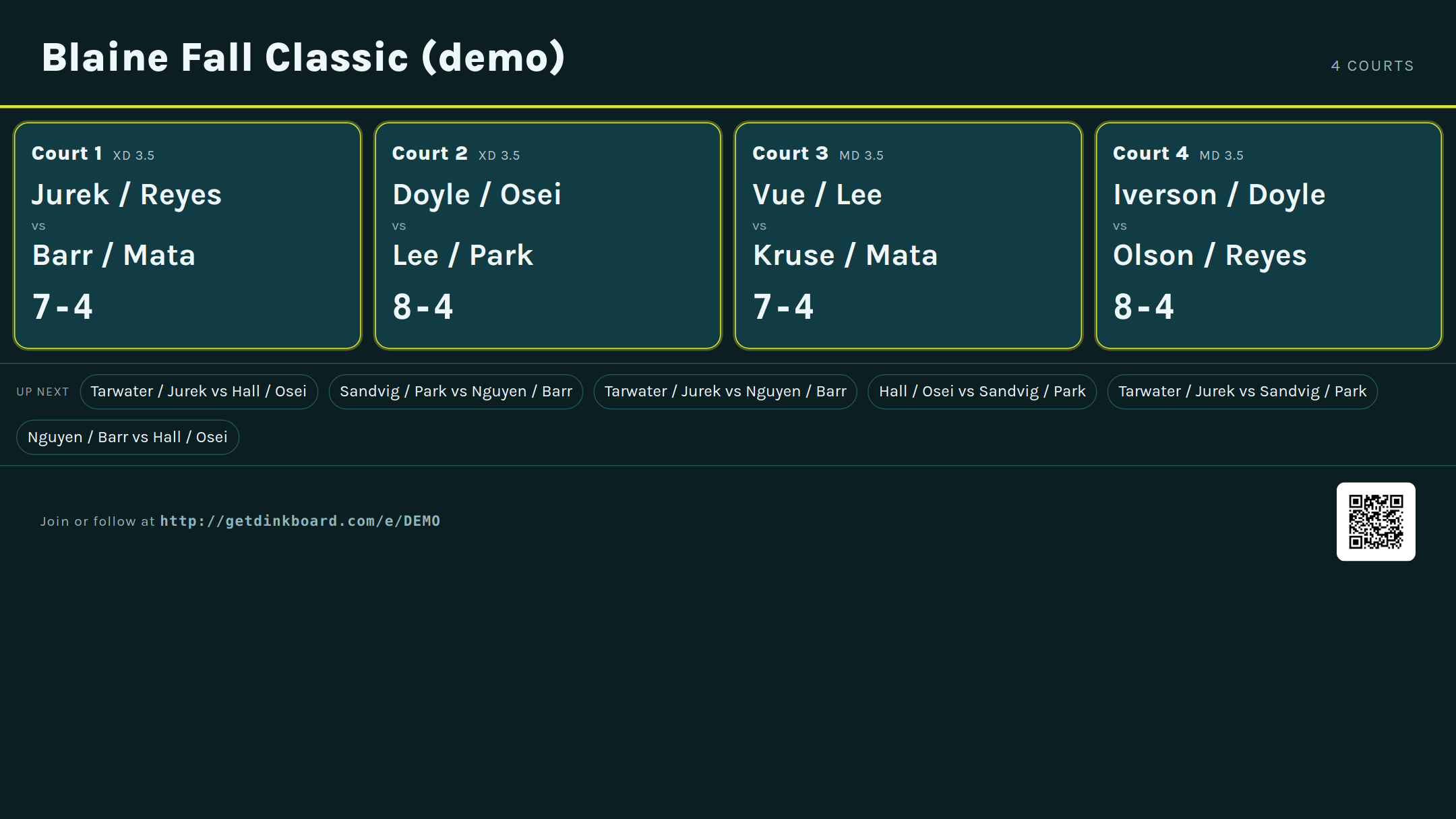
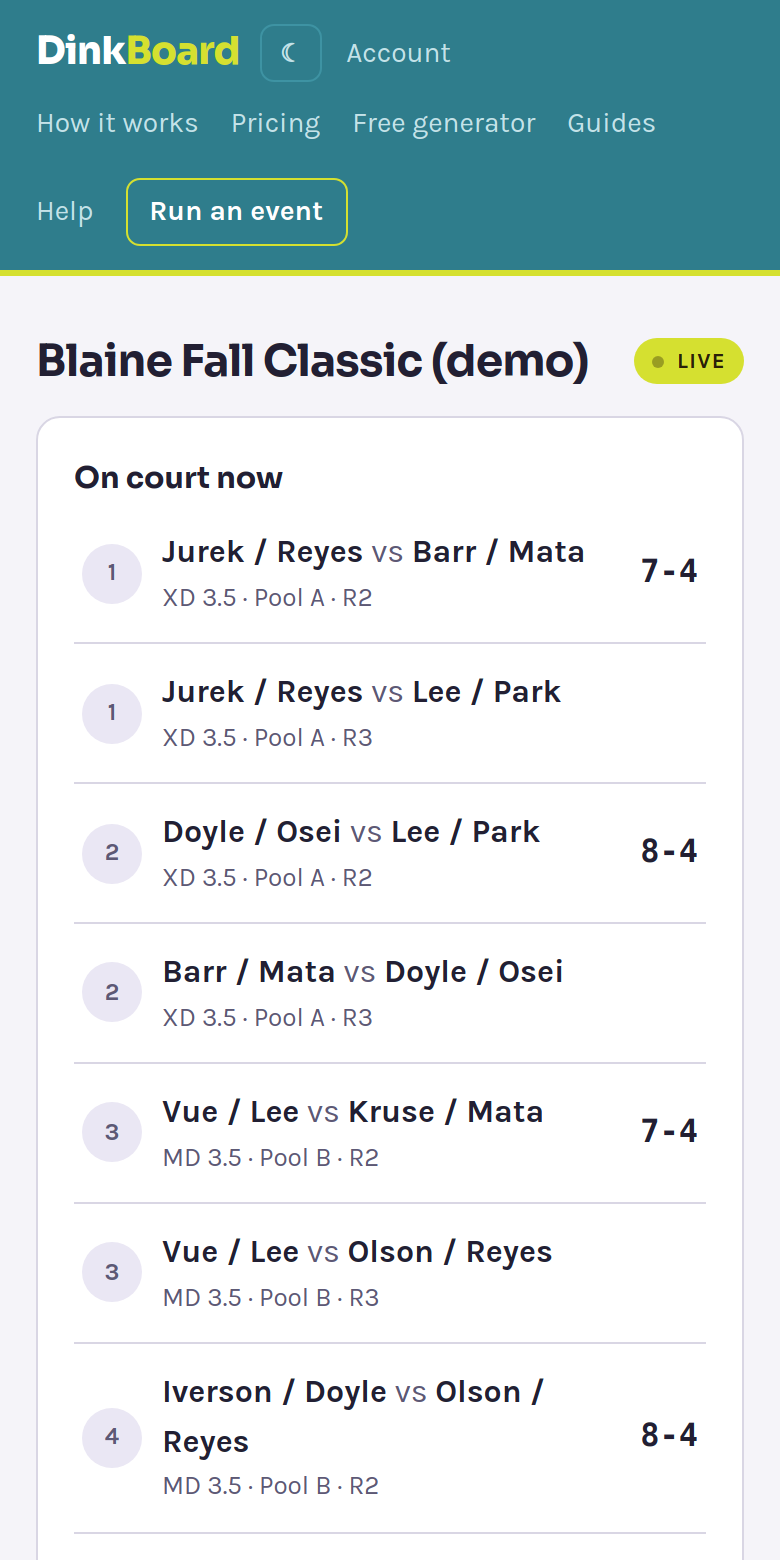
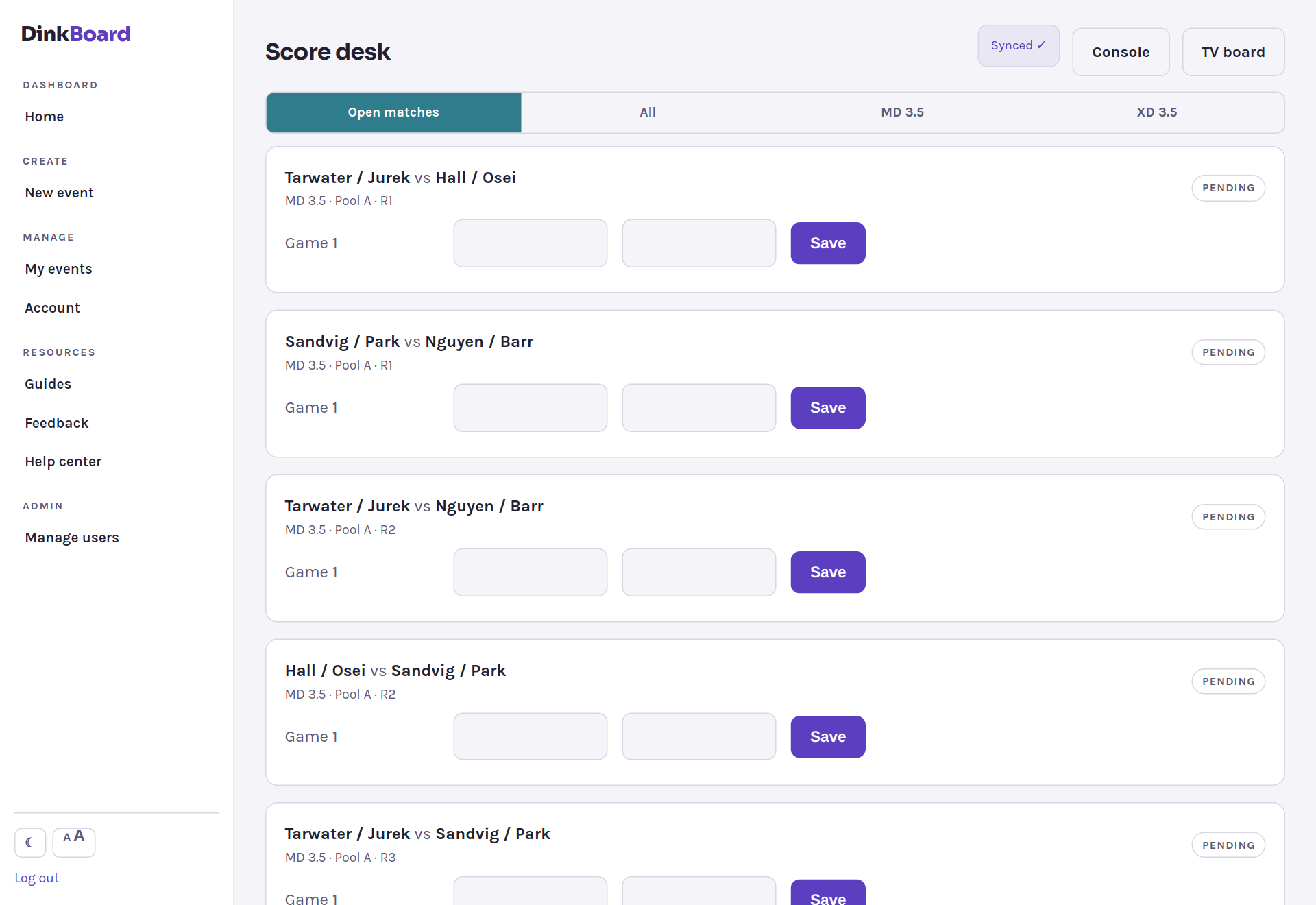
The score desk enters results on a tablet (offline-safe), or players self-report and their opponent confirms. Brackets advance instantly, and everyone sees "you're on Court 7 next" on their phone and the venue TV.
What it looks like
Straight from the live sample event - browse it yourself.